Hkmc rndvpn hyundai net: Access and Troubleshooting Guide
What hkmc rndvpn hyundai net refers to, how to approach access, and what to check if the Hyundai VPN page does not load.
If you searched for hkmc rndvpn hyundai net, you are likely trying to reach Hyundai’s remote-access service or confirm whether the address is legitimate. The search results identify hkmc-rndvpn.hyundai.net as a domain, but do not show public instructions or confirm what the page contains. Treat it as a potentially organization-restricted service: use it only if Hyundai or your authorized workplace contact has directed you to do so.
Editor's pick: NordVPN — fast, secure VPN — Strong encryption, a no-logs policy and apps for every device. 30-day money-back guarantee. Get NordVPN →
Access-path comparison
| Access option | What it is for | When to use it | Safety check | If it fails |
|---|---|---|---|---|
| hkmc-rndvpn.hyundai.net | Hyundai R&D VPN access | When authorized for the service | Verify the exact hostname | Contact your Hyundai IT support |
| Company-provided VPN app | Secure network connection | When your organization requires it | Use the official app and setup instructions | Check connection status |
| Company device | Managed access device | When access rules require it | Keep it updated and protected | Ask support about device compliance |
| Company network | Internal network access | When required by policy | Confirm you are on an approved network | Try the approved remote-access route |
| Saved bookmark | Quick way to revisit the site | After confirming the address | Check the hostname before signing in | Remove outdated bookmarks |
| Search result | Finding a page address | Only to locate official information | Confirm the destination before opening | Use a known company link instead |
Compiled November 2026; check the provider's site for current details.
| VPN | Obfuscation | From / month | Plan | Free plan | Refund | Alipay | UnionPay | Crypto | Website opens in China | Trustpilot | |
|---|---|---|---|---|---|---|---|---|---|---|---|
 ZoogVPN | Turn on manually Shadow | $2.49/mo | 27 months: $59.99 | Yes | 7 days | ✓ | ✓ | ✓ | ✓ | Official site blocked; our special link opens (4.4 s) | 4.2/5 (195 reviews) |
 NordVPN | Turn on manually Obfuscated Servers / NordWhisper | $3.49/mo | 27 months: $94.23 | No | 30 days | ? | ✗ | ✓ | ✓ | ✗ Blocked | 4.2/5 (51,628 reviews) |
 ExpressVPN | ✓ On by default all servers | $3.00/mo | 28 months: $84 | No | 30 days | ✗ | ✗ | ✓ | ✗ | ✗ Blocked | 4.4/5 (29,706 reviews) |
 Surfshark | ✓ On by default Camouflage, with OpenVPN | See site | See site | No | 30 days | ✗ | ✗ | ✗ | ✓ | ✗ Blocked | 4.3/5 (31,823 reviews) |
 Proton VPN | Turn on manually Stealth, free plan too | $2.99/mo | 12 months: $35.88 | Yes | 30 days | ✗ | ✗ | ✗ | ✓ | ✗ Blocked | 2.1/5 (1,040 reviews) |
 Astrill VPN | Turn on manually StealthVPN / OpenWeb | $12.50/mo | 24 months: $300 | No | See site | ✗ | ✗ | ✗ | ✓ | ✗ Blocked | 1.3/5 (110 reviews) |
 Private Internet Access | Turn on manually Shadowsocks, OpenVPN only | $2.03/mo | 40 months: $81.2 | No | 30 days | ✗ | ✗ | ✗ | ✗ | ✗ Blocked | 4.2/5 (11,033 reviews) |
 CyberGhost | Turn on manually selected servers | $2.19/mo | 28 months: $61.32 | No | 45 days | ✗ | ✗ | ✗ | ✓ | ✗ Blocked | 4.0/5 (24,178 reviews) |
 PureVPN | Turn on manually switch to OpenVPN | $1.69/mo | 60 months: $101.55 | No | 31 days | ? | ? | ✗ | ✓ | ✗ Blocked | 4.4/5 (17,994 reviews) |
 AdGuard VPN | ✓ On by default TrustTunnel | $2.99/mo | 24 months: $71.76 | Yes | 30 days | ✓ | ✗ | ✓ | ✓ | Official site blocked; our special link opens (3.7 s) | 4.3/5 (290 reviews) |
 Mullvad | Turn on manually QUIC / Shadowsocks / LWO | $5.61/mo | €5/mo | No | 14 days | ✗ | ✗ | ✗ | ✓ | ✗ Blocked | 3.2/5 (192 reviews) |
 Windscribe | Turn on manually Stealth / WStunnel | $5.75/mo | 12 months: $69 | Yes | See site | ✗ | ✗ | ✗ | ✓ | ✗ Blocked | 4.7/5 (13,355 reviews) |
 StrongVPN | Turn on manually Scramble, OpenVPN TCP | See site | See site | No | 30 days | ✓ | ✗ | ✗ | ✗ | ✗ Blocked | 4.4/5 (2,695 reviews) |
 LightXtreme 闪连 | Not listed | $7.08/mo | 12 months: $84.99 | Yes | 30 days | ✓ | ✓ | ✓ | ✓ | ✓ Yes (3.5 s) | No page |
Prices checked 2026-11-10 on each vendor's pricing page (cheapest long plan, USD). Check the vendor's checkout for the final price.
Obfuscation checked 2026-11-14 on each vendor's site and help center: "on by default" = nothing to set; "turn on manually" = switch protocol or mode in settings; "not listed" = the vendor describes no obfuscation.
Payment methods checked 2026-11-10 on each vendor's payment pages: all 14 take cards and PayPal; ✗ = not listed, ? = the vendor's own pages disagree.
China access: whether the official website opens from mainland China networks (tests the website only, not the VPN connection). Last checked 2026-11-18 01:02 Beijing time.
Trustpilot score and review count checked 2026-11-10.
What is hkmc-rndvpn.hyundai.net?
The keyword appears to refer to the address hkmc-rndvpn.hyundai.net. Its name suggests a Hyundai Motor Company-related remote VPN service, but the available search results do not provide an official explanation of the service, its users, or its login process.
The related address hkmc-vpn.hyundai.net also appears in search results, as does Hyundai’s partner portal at partner.hyundai.com. However, search listings alone do not establish that these sites are interchangeable or that one can be used in place of another. Avoid guessing which portal you should use.
A page that shows little or no public information is not necessarily broken. Internal company services are often designed for employees, partners, or approved devices and may not display useful content to visitors without access.
How to approach access safely
If you are an authorized Hyundai employee, contractor, or partner, follow the access instructions provided by your organization. Use the exact URL supplied through a trusted internal channel, such as your IT help desk or official onboarding material. IPVanish Login: How to Sign In and Fix Common Problems
Before signing in, check that:
- The address is spelled exactly as provided, including the
hyundai.netdomain. - You reached it through a trusted source rather than an unexpected message or unfamiliar search result.
- Your organization has confirmed that your account is eligible for access.
- Any required VPN client, authentication method, or device setup comes from official IT guidance.
Do not enter your password or verification code into a page if you are unsure it is the correct service. If the address differs from the one in your instructions, stop and confirm it with IT.
Troubleshooting decision guide
| Symptom | Possible cause | Safe check | Next step | Avoid |
|---|---|---|---|---|
| Page does not load | Network or VPN is disconnected | Check your approved connection | Reconnect using company instructions | Unofficial VPN tools |
| Sign-in page does not appear | Access path or browser issue | Recheck the hostname | Try an approved browser | Entering credentials on lookalike pages |
| Access is denied | Permission may be missing | Confirm you are using the right account | Request access through company support | Repeated password guessing |
| Connection times out | Temporary network issue | Check whether other approved sites load | Retry later or contact IT | Disabling security controls |
| Certificate warning appears | Site or device trust issue | Verify the address and device date | Stop and ask IT to verify | Bypassing the warning |
| Page looks unfamiliar | Wrong destination or changed page | Compare the full hostname | Close it and use a trusted route | Sharing credentials |
Compiled November 2026; check the provider's site for current details. Free VPN: How to Choose One That Protects Your Privacy
What to do if the page will not open
A remote-access page may fail to load for several reasons, including a mistyped address, a temporary service issue, an unsupported browser, or access restrictions. The search results do not provide a service-status page or specific troubleshooting instructions for this domain, so avoid relying on unofficial fixes.
Try these basic checks:
- Re-enter the address from your organization’s instructions.
- Confirm that your internet connection is working.
- Use the browser or device recommended by your IT team.
- Check whether your organization requires a specific network, VPN client, or multi-factor authentication step.
- Contact IT support if you see an account, certificate, or access-denied error.
Do not download a VPN installer from a third-party site or disable security protections to get past an error. IT support can confirm whether the issue is with your account, device configuration, or the service itself.
Related Hyundai links are not necessarily the same service
Search results also show Hyundai-related websites, but each may serve a different audience or purpose. A result’s appearance alongside the keyword does not prove it is the correct login destination. Sslvpn poscoenc.com: How to Find and Use POSCO E&C Remote Access
| Address or result | What the search results indicate | What to do |
|---|---|---|
hkmc-rndvpn.hyundai.net |
The domain associated with the search keyword; public service details are not provided | Use only with instructions from an authorized source |
hkmc-vpn.hyundai.net |
A related Hyundai-domain result with no page information available | Confirm with IT whether it applies to you |
partner.hyundai.com |
A Hyundai partner portal result; no further details are available | Use only if your organization directs you there |
autoway.hmc.co.kr |
A Hyundai Autoway result; the listing does not establish that it is the VPN portal | Do not treat it as a substitute without confirmation |
The results also mention a Hyundai Mobis remote-access manual for vpn.mobis.com. That material concerns a separate address and describes a particular Mobis process. It should not be assumed to apply to hkmc-rndvpn.hyundai.net or to other Hyundai organizations.
Distinguishing related Hyundai links
| Link or service | Same as the R&D VPN site? | Typical purpose | What to verify | Best next step |
|---|---|---|---|---|
| hkmc-rndvpn.hyundai.net | Reference service | R&D VPN access | Exact hostname and authorization | Follow company access guidance |
| Hyundai corporate website | No | Public company information | Official Hyundai domain | Use for public information |
| Hyundai careers site | No | Job listings and applications | Official careers address | Use for recruitment matters |
| Hyundai customer support | No | Customer assistance | Official regional support page | Use for vehicle or product help |
| Hyundai dealer portal | Not necessarily | Dealer-related tasks | Intended audience and official address | Confirm with your dealer contact |
| Hyundai employee portal | Not necessarily | Employee services | Company-provided link and account | Ask internal support if unsure |
Compiled November 2026; check the provider's site for current details.
Common questions
Is hkmc-rndvpn.hyundai.net a public website?
The available search results do not show public page content or explain who can use the address. It may require authorized credentials or a managed setup, but confirm the requirements with your organization rather than assuming. Free VPN Extension for Edge: What to Know Before You Install
Can I use the Hyundai Mobis VPN instructions?
Not unless your organization confirms that they apply. The search result for the Mobis manual refers to vpn.mobis.com, which is a different address.
What if I am a supplier or partner?
Ask your Hyundai contact or your organization’s IT administrator for the approved portal and onboarding steps. Partner access may differ from employee access, and the search results do not establish which route applies.
Recommendation
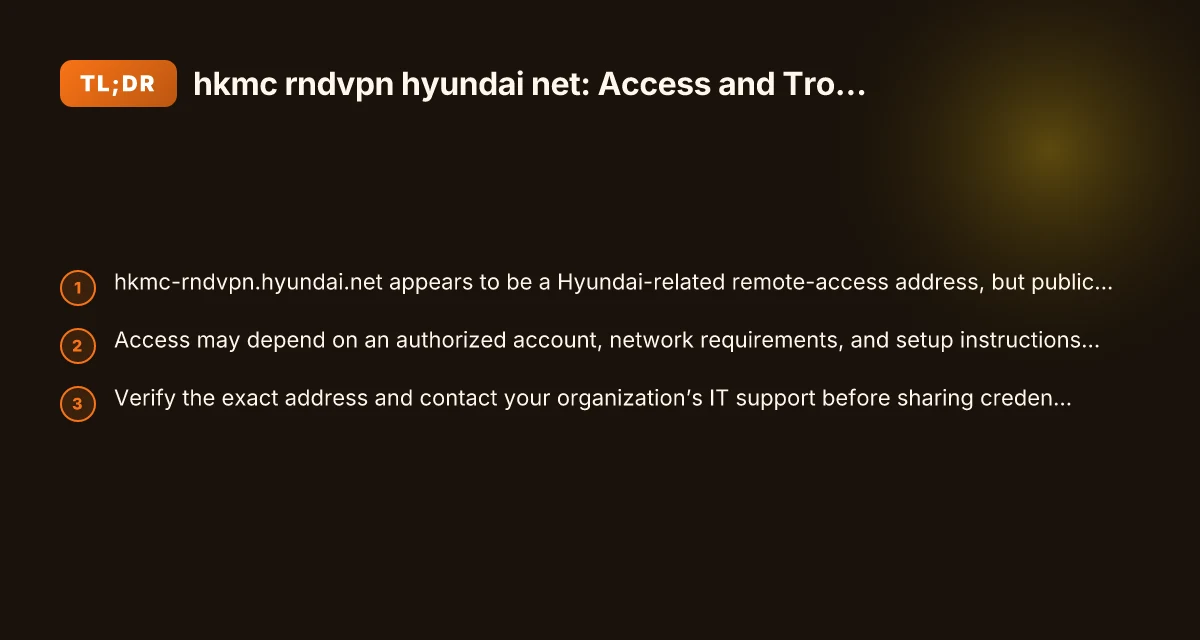
Treat hkmc rndvpn hyundai net as a restricted-access address unless Hyundai or your organization confirms otherwise. Verify the exact URL, follow official setup guidance, and contact IT support if you cannot sign in.