Best VPN Extension for Edge: How to Choose the Right One
Compare VPN extensions for Microsoft Edge and learn when a browser add-on is enough, and when to use a full VPN app.
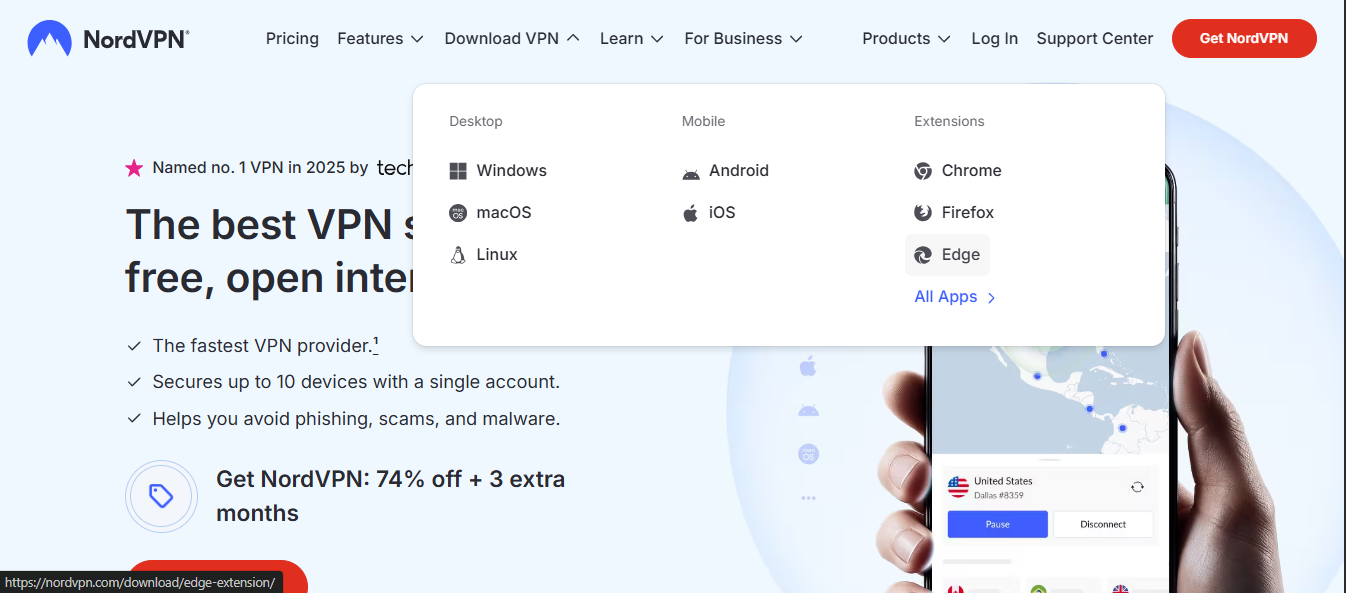
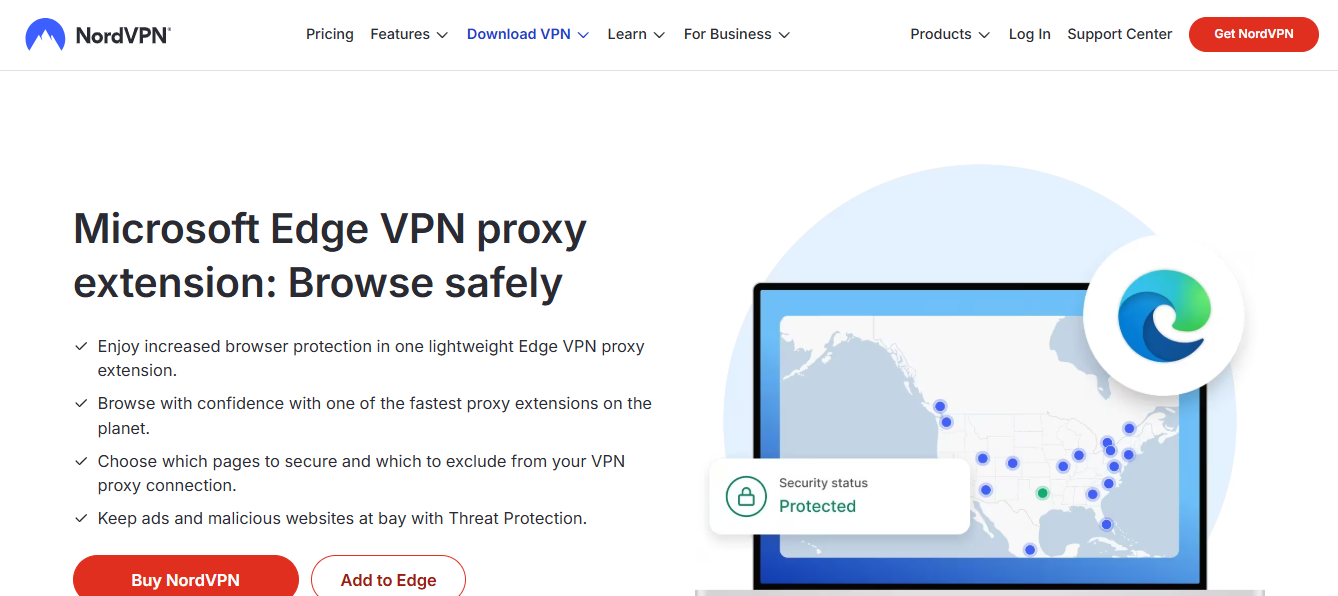
For most people, the best VPN extension for Edge is one from a reputable VPN provider that clearly explains what it protects, what it logs, and which features are available. ExpressVPN is described in a recent review as offering a full-fledged Edge extension with a broad feature set. If you want a free option, extensions such as ZenMate appear in the Microsoft Edge Add-ons store, but check their current terms and privacy details before relying on them.
A VPN extension can be convenient for browser traffic, but it is not automatically the same as a full VPN app. The right choice depends on what you want to protect: activity inside Edge, or connections across your whole device.
| VPN | Obfuscation | From / month | Plan | Free plan | Refund | Alipay | UnionPay | Crypto | Website opens in China | Trustpilot | |
|---|---|---|---|---|---|---|---|---|---|---|---|
 ExpressVPN | ✓ On by default all servers | $3.00/mo | 28 months: $84 | No | 30 days | ✗ | ✗ | ✓ | ✗ | ✗ Blocked | 4.4/5 (29,706 reviews) |
 NordVPN | Turn on manually Obfuscated Servers / NordWhisper | $3.49/mo | 27 months: $94.23 | No | 30 days | ? | ✗ | ✓ | ✓ | ✗ Blocked | 4.2/5 (51,628 reviews) |
 Surfshark | ✓ On by default Camouflage, with OpenVPN | See site | See site | No | 30 days | ✗ | ✗ | ✗ | ✓ | ✗ Blocked | 4.3/5 (31,823 reviews) |
 Proton VPN | Turn on manually Stealth, free plan too | $2.99/mo | 12 months: $35.88 | Yes | 30 days | ✗ | ✗ | ✗ | ✓ | ✗ Blocked | 2.1/5 (1,040 reviews) |
 Windscribe | Turn on manually Stealth / WStunnel | $5.75/mo | 12 months: $69 | Yes | See site | ✗ | ✗ | ✗ | ✓ | ✗ Blocked | 4.7/5 (13,355 reviews) |
 ZoogVPN | Turn on manually Shadow | $2.49/mo | 27 months: $59.99 | Yes | 7 days | ✓ | ✓ | ✓ | ✓ | Official site blocked; our special link opens (4.4 s) | 4.2/5 (195 reviews) |
 Astrill VPN | Turn on manually StealthVPN / OpenWeb | $12.50/mo | 24 months: $300 | No | See site | ✗ | ✗ | ✗ | ✓ | ✗ Blocked | 1.3/5 (110 reviews) |
 Private Internet Access | Turn on manually Shadowsocks, OpenVPN only | $2.03/mo | 40 months: $81.2 | No | 30 days | ✗ | ✗ | ✗ | ✗ | ✗ Blocked | 4.2/5 (11,033 reviews) |
 CyberGhost | Turn on manually selected servers | $2.19/mo | 28 months: $61.32 | No | 45 days | ✗ | ✗ | ✗ | ✓ | ✗ Blocked | 4.0/5 (24,178 reviews) |
 PureVPN | Turn on manually switch to OpenVPN | $1.69/mo | 60 months: $101.55 | No | 31 days | ? | ? | ✗ | ✓ | ✗ Blocked | 4.4/5 (17,994 reviews) |
 AdGuard VPN | ✓ On by default TrustTunnel | $2.99/mo | 24 months: $71.76 | Yes | 30 days | ✓ | ✗ | ✓ | ✓ | Official site blocked; our special link opens (3.7 s) | 4.3/5 (290 reviews) |
 Mullvad | Turn on manually QUIC / Shadowsocks / LWO | $5.61/mo | €5/mo | No | 14 days | ✗ | ✗ | ✗ | ✓ | ✗ Blocked | 3.2/5 (192 reviews) |
 StrongVPN | Turn on manually Scramble, OpenVPN TCP | See site | See site | No | 30 days | ✓ | ✗ | ✗ | ✗ | ✗ Blocked | 4.4/5 (2,695 reviews) |
 LightXtreme 闪连 | Not listed | $7.08/mo | 12 months: $84.99 | Yes | 30 days | ✓ | ✓ | ✓ | ✓ | ✓ Yes (3.5 s) | No page |
Prices checked 2026-11-10 on each vendor's pricing page (cheapest long plan, USD). Check the vendor's checkout for the final price.
Obfuscation checked 2026-11-14 on each vendor's site and help center: "on by default" = nothing to set; "turn on manually" = switch protocol or mode in settings; "not listed" = the vendor describes no obfuscation.
Payment methods checked 2026-11-10 on each vendor's payment pages: all 14 take cards and PayPal; ✗ = not listed, ? = the vendor's own pages disagree.
China access: whether the official website opens from mainland China networks (tests the website only, not the VPN connection). Last checked 2026-11-18 01:02 Beijing time.
Trustpilot score and review count checked 2026-11-10.
Editor's pick: NordVPN — fast, secure VPN — Strong encryption, a no-logs policy and apps for every device. 30-day money-back guarantee. Get NordVPN →
Edge VPN extension comparison
| Option | Extension type | Edge support | Traffic protection | Key consideration |
|---|---|---|---|---|
| Microsoft Edge Secure Network | Built-in feature | Supported in some regions | Browser traffic | Not a full VPN replacement |
| NordVPN | VPN extension | Supported | Browser traffic | Requires a subscription |
| ExpressVPN | VPN extension | Supported | Browser traffic | Requires a subscription |
| Surfshark | VPN extension | Supported | Browser traffic | Check plan and feature details |
| Proton VPN | VPN extension | Supported | Browser traffic | Free plan availability may vary |
| Windscribe | VPN extension | Supported | Browser traffic | Review free-plan limits |
| TunnelBear | VPN extension | Supported | Browser traffic | Review data limits |
| Unknown free extension | Third-party extension | May be supported | Depends on the extension | Verify privacy and security practices |
Compiled November 2026; check the provider's site for current details.
What an Edge VPN extension does
A VPN extension is an add-on that routes some or all of your browser traffic through a VPN service. Depending on the provider, it may help conceal your IP address from websites and provide an encrypted connection between your browser and the VPN server.
However, the word “VPN” can describe different kinds of browser tools. Some extensions operate alongside a provider’s full VPN app, while others work more like browser proxies. Their protection, available locations, and privacy policies vary.
Before installing one, check:
- Whether it protects only Edge traffic or requires a companion app
- What data the provider collects and retains
- Whether the extension includes features you need, such as a kill switch
- Whether the provider clearly explains its security and privacy practices
- Whether the listing and publisher are genuine
A browser add-on may not protect other browsers, desktop apps, or background services. If you want coverage beyond Edge, look for a full VPN application that supports your device. VPN FortiClient: What It Is, How to Connect, and What to Know
VPN extensions to consider
Search results and the Edge Add-ons store identify several options, but a listing alone is not proof of strong privacy or security. Ratings and features can change, so confirm the latest information on the store page and the provider’s website.
| Option | What current search results indicate | What to check |
|---|---|---|
| ExpressVPN | A recent review describes it as offering a full-featured Microsoft Edge extension | Current plan requirements, features, privacy policy, and whether the app is needed |
| ZenMate | Listed in Edge Add-ons as a free VPN extension; its site states that it does not record users’ online activity | Current availability, terms, logging details, and feature limits |
| Hoxx VPN Proxy | Appears in Microsoft’s Edge VPN add-on search results | Who operates it, what data it handles, and how it protects traffic |
| VeePN, Planet VPN, and Browsec | Included in a recent roundup of Edge extensions | Verify current features and privacy terms directly with each provider |
These examples are a shortlist for research, not a guarantee that any one extension is the best choice for every user. Treat claims such as “free,” “anonymous,” or “no logs” as claims to verify in the provider’s current documentation.
How to choose an Edge VPN extension
| Decision factor | What to check | Better sign | Caution |
|---|---|---|---|
| Edge compatibility | Current Edge support | Listed in the Edge Add-ons store | Unclear or outdated support |
| Protection scope | Browser-only or device-wide coverage | Scope is clearly explained | Mistaking browser protection for device-wide VPN |
| Privacy policy | Data collection and sharing | Clear limits on logging | Vague data practices |
| Security | Encryption and leak protections | Security features are documented | Unsupported security claims |
| Provider trust | Company identity and reputation | Established provider with transparent ownership | Unknown operator |
| Free-plan terms | Limits and upgrade conditions | Limits are stated clearly | Hidden restrictions |
| Performance | Speed and connection stability | Reliable performance for your needs | No clear information or testing |
| Support | Help and troubleshooting options | Accessible support resources | No meaningful support |
Compiled November 2026; check the provider's site for current details. VPN Extension Free Edge: How to Choose One for Microsoft Edge
How to choose the best VPN extension for Edge
Start with your reason for using a VPN. If you only want to change the apparent location of browser traffic or add privacy while browsing, a browser extension may be enough. If you need protection for video apps, games, email clients, or other browsers, choose a full VPN app instead.
Look beyond the store rating
A high rating can be useful, but it does not tell the whole story. Read recent reviews and check whether users mention connection problems, unexpected permissions, or unclear billing and cancellation terms. Also confirm that the extension is published by the VPN provider you intend to use.
Read the privacy policy
A VPN provider can potentially see information about the traffic it handles. Look for clear statements about collected data, retention, and sharing. Be cautious if the provider makes broad privacy promises without explaining what they mean.
Check the protection model
Some add-ons are designed to work only with a provider’s desktop or mobile app. Others route browser traffic independently. Confirm what happens when the extension disconnects and whether it can prevent traffic from continuing outside the protected connection. Best Free VPN Extension for Edge: Top Options and How to Choose
Confirm usability and limits
Free extensions may have restrictions, such as fewer features or limited access. Check the current terms rather than assuming that “free” means unlimited. If you need a particular server location, test whether it is available before depending on the extension.
Does Microsoft Edge have a built-in VPN?
Microsoft has offered an Edge feature called Secure Network, which search results and online discussion associate with Cloudflare technology. Availability and details can vary, so check Edge’s settings and Microsoft’s current information to see whether the feature is offered for your version and region.
Secure Network should not be confused with a standalone VPN subscription that covers every connection on your device. Edge features are browser-specific, and their capabilities and limits may differ from those of a dedicated VPN app.
Quick checks before installing an Edge VPN extension VPN Location Changer Free: How to Change Your IP Address Safely
| Check | Safer choice | Warning sign | Why it matters |
|---|---|---|---|
| Publisher | Recognized VPN provider | Unknown or impersonating publisher | Helps verify who operates the extension |
| Permissions | Relevant and explained | Broad permissions without a clear reason | Limits unnecessary access |
| Privacy policy | Available and understandable | Missing or vague policy | Clarifies how data is handled |
| Reviews | Recent, consistent feedback | Repeated reports of suspicious behavior | Offers clues, but is not proof |
| Free-plan limits | Clearly disclosed | Unclear limits or surprise charges | Helps avoid misleading offers |
| Connection scope | Clearly states what it protects | Implies all device traffic is covered without explanation | Sets accurate expectations |
| Updates | Maintained regularly | Long periods without updates | Maintenance can affect security |
| Microsoft Edge Secure Network | Check availability and terms | Treating it as a full VPN | It may protect browser traffic rather than all device traffic |
Compiled November 2026; check the provider's site for current details.
Is a free VPN extension safe?
Not automatically. A free extension can be legitimate, but the provider still needs a sustainable business model, and its privacy practices may not suit your needs. Do not assume that a free service offers the same protections or features as a paid plan.
Before installing a free Edge VPN extension:
- Review the permissions it requests
- Read its privacy policy and current terms
- Confirm who operates the service
- Check how the provider describes logging and data sharing
- Remove it if its behavior or permissions seem unrelated to its purpose
Avoid using an unfamiliar extension for sensitive activities simply because it is easy to install. For banking, work, or other high-stakes use, choose a provider whose security practices you can evaluate and understand. Axgate VPN: What It Is, How to Get the Client, and What to Check
Recommendation
For a feature-rich Edge add-on, compare a provider-backed option such as ExpressVPN with your requirements and verify its current terms. If you prefer a free extension, ZenMate is listed in Edge Add-ons, but review its present privacy policy and limitations before use. Choose a full VPN app if you want to protect traffic beyond Microsoft Edge.